Over the past month, I’ve been redoing a site and I’m just about done.

However, there was one part that kept me crossing my eyes and aimlessly searching the Google for a solution: How the heck do you change the text of {0 Comments} on the front page of the Thesis theme?!
My personal solution–on this site and on Sims 3 Gamer–was to just kill the comments on the main page. Click on the post to leave a comment if you’re curious how many comments it has…or doesn’t have.
But the client wanted something different and I was up for the challenge.
This is what it looked like before I did anything:

And this is what it looks like now:
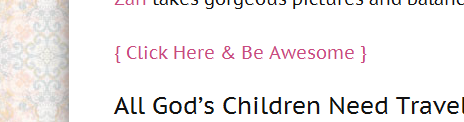
And this is what I did:
Put this at the bottom of your custom_functions.php file in the Custom File Editor under your Thesis tab–or via FTP if you’re feeling snazzy.
/* CUSTOM COMMENT LINK AND IT'S AWESOME */
function awesome_comments() {
if (is_home()) { ?>
Obviously, you'll want to change the, "{ Click Here & Be Awesome }" part.
Then, cause the underlined links were bugging me, I put this at the bottom of the custom.css file:
/* KILLS THE LINK UNDERLINE */
.format_text a {
text-decoration: none;
}
If you want to get rid of that {0 comments} jobber completely, just put this at the bottom of your custom_functions.php file:
remove_action('thesis_hook_after_post', 'thesis_comments_link');
And you're done!
Hopefully, this will save many a forehead from the ravages of desktops everywhere.
